Introduction
During a sale it might be pertinent to offer discounts based on gross profits or gross margins. At the block level on any given sale, Quick3 has a built-in tool to calculate and set prices based on user input and base pricing. This tool is called the Margin Calculator.
You can find this tool at the very right of a block's toolbar in the form of an icon with the summation symbol.
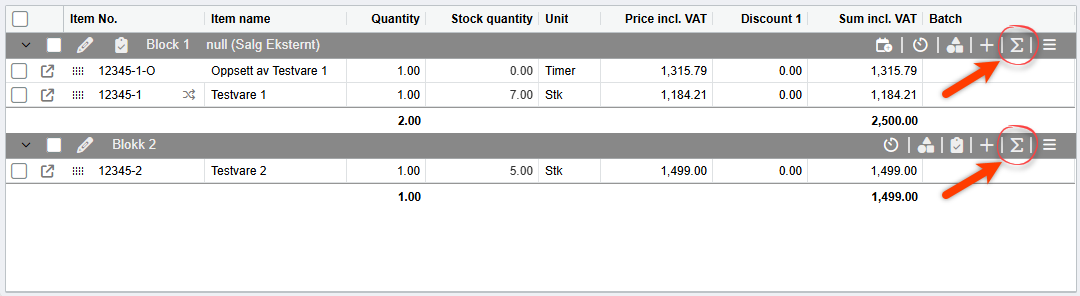
Usage
When you open the tool, a simple dialog box will pop up with options to adjust the pricing items in the block. The options are as follows:
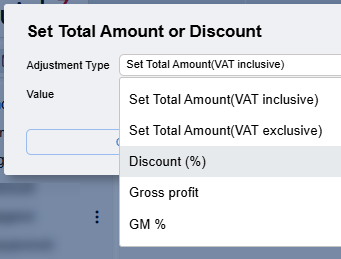
- Set Total Amount (VAT Inclusive)
Lets you set the total desired price for the block, VAT included. - Set Total Amount (VAT Exclusive)
As above, only excluding VAT. - Discount (%)
Lets you define a set discount percentage for the block. - Gross Profit
Here you can set the exact amount of gross profit that you would like for the block. - GM %
As above, except that you define the gross profit as a percentage.
When you select one of the "gross" options (Gross Profit and GM %) the dialog box will show you a preview of pricing for all order lines in the block:
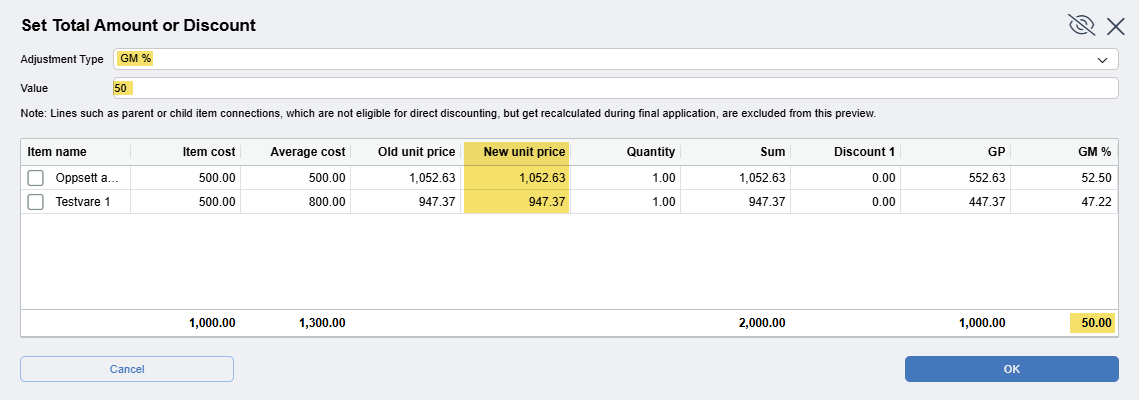
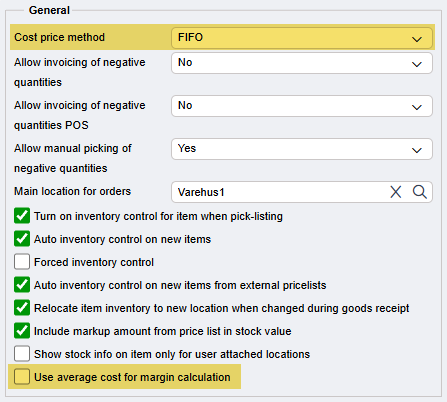
When the Adjustment Type and Value is defined, simply click "OK" and the calculator will make the necessary changes to the pricing on your block in order to achieve the desired result. Note that the price changes performed by the margin calculator are determined by how your client is set to calculate cost, as defined in Client Configuration > Stock > General.
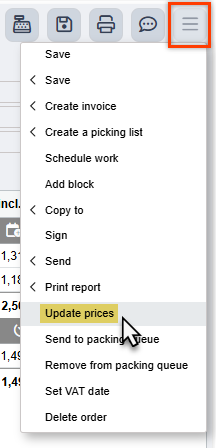
If you need to reset all prices for your sale, open the hamburger menu, and select "Update prices" to load in current prices from your client's pricing lists.
Was this article helpful?
That’s Great!
Thank you for your feedback
Sorry! We couldn't be helpful
Thank you for your feedback
Feedback sent
We appreciate your effort and will try to fix the article