Before you begin:Setup of Vehicle Lookup Services requires administrator access in Quick3. Please consult your local management if you don't have access to Client Configuration in your client. |
Introduction
Quick3 offers vehicle lookup services through various providers in different countries. Using this service you can extract detailed vehicle information for entities in Quick3 by searching for a vehicle's registration number or VIN.
As of January 2026, the available providers are:
- Statens Vegvesen (Standard selection, Norway)
- Trafi (Finland)
- DAndB (Sweden)
The lookup service is used during actions such as import of entities, and to automatically update entity parameters.
Setup
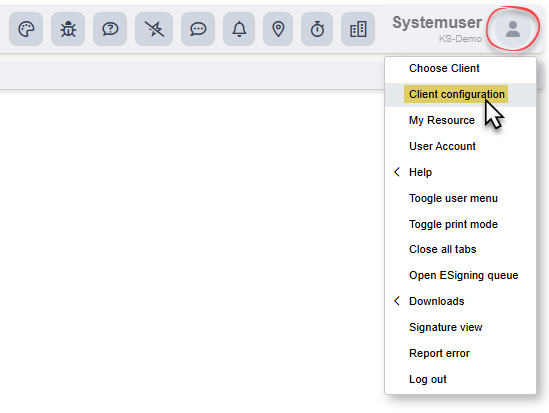
Click your user icon in the top right of Quick3, and find the menu option "Client Configuration".
Under the "Misc" tab, you will find an options section called "Vehicle lookup service". Choose your provider via the dropdown menu. If any login information is required, it should have been provided to you from the service. Make sure that your user name and password are entered correctly, otherwise all lookups will fail.
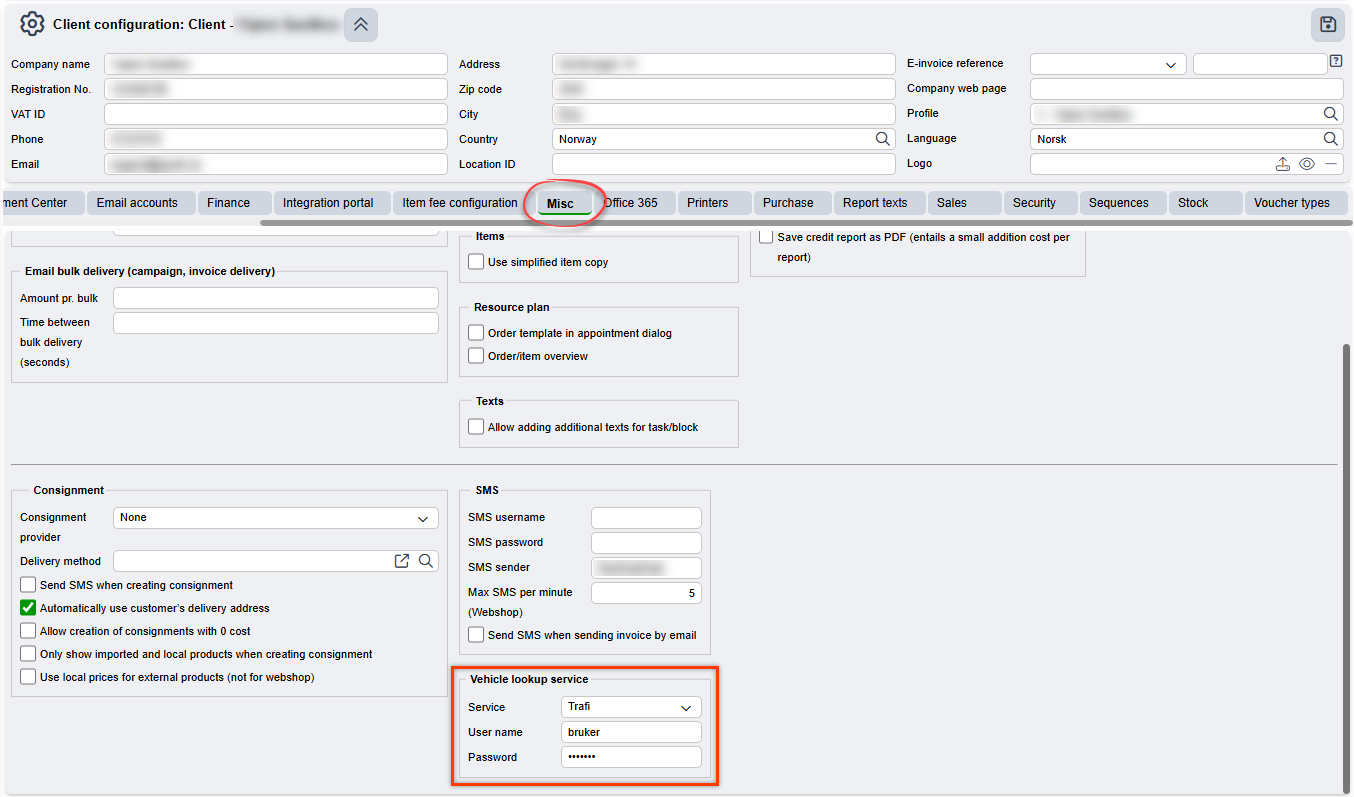
Remember to save any changes by clicking the Save Icon in the top right, or by pressing ⌨️Ctrl+S on your keyboard.
| Please note that all lookups performed have an associated cost with their provider. For updated pricing on the Standard service, see our pricing list for transactional services. For pricing with other services, we refer to their respective websites. |
Was this article helpful?
That’s Great!
Thank you for your feedback
Sorry! We couldn't be helpful
Thank you for your feedback
Feedback sent
We appreciate your effort and will try to fix the article